
Clarity
See exactly what changed — down to the value.
Every entry shows the old value next to the new one. Not just that a setting changed, but exactly what it changed to, and who did it.
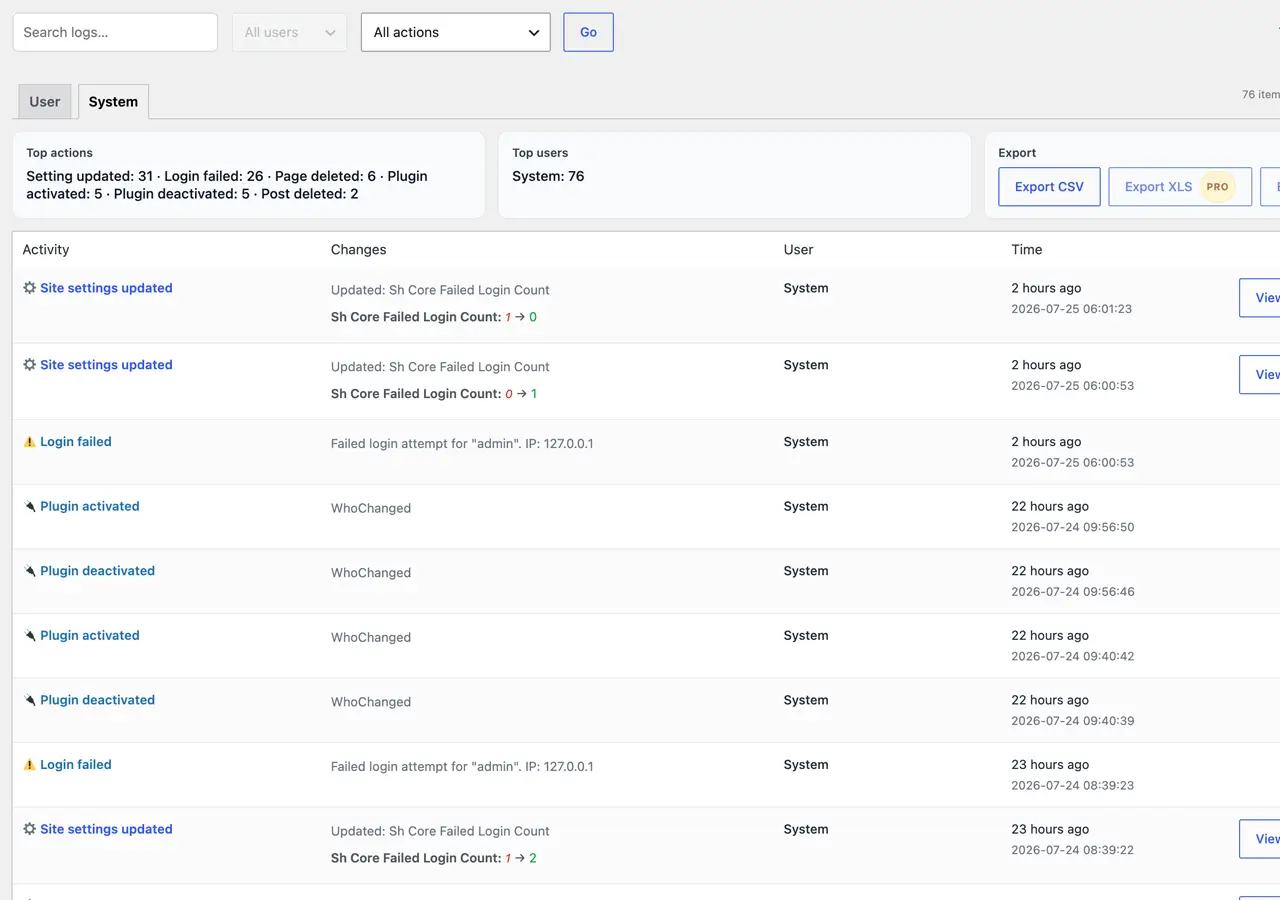
A quiet activity log for wp‑admin. Every setting, plugin, user and content change — captured with a clear before/after, so nothing is ever a mystery.
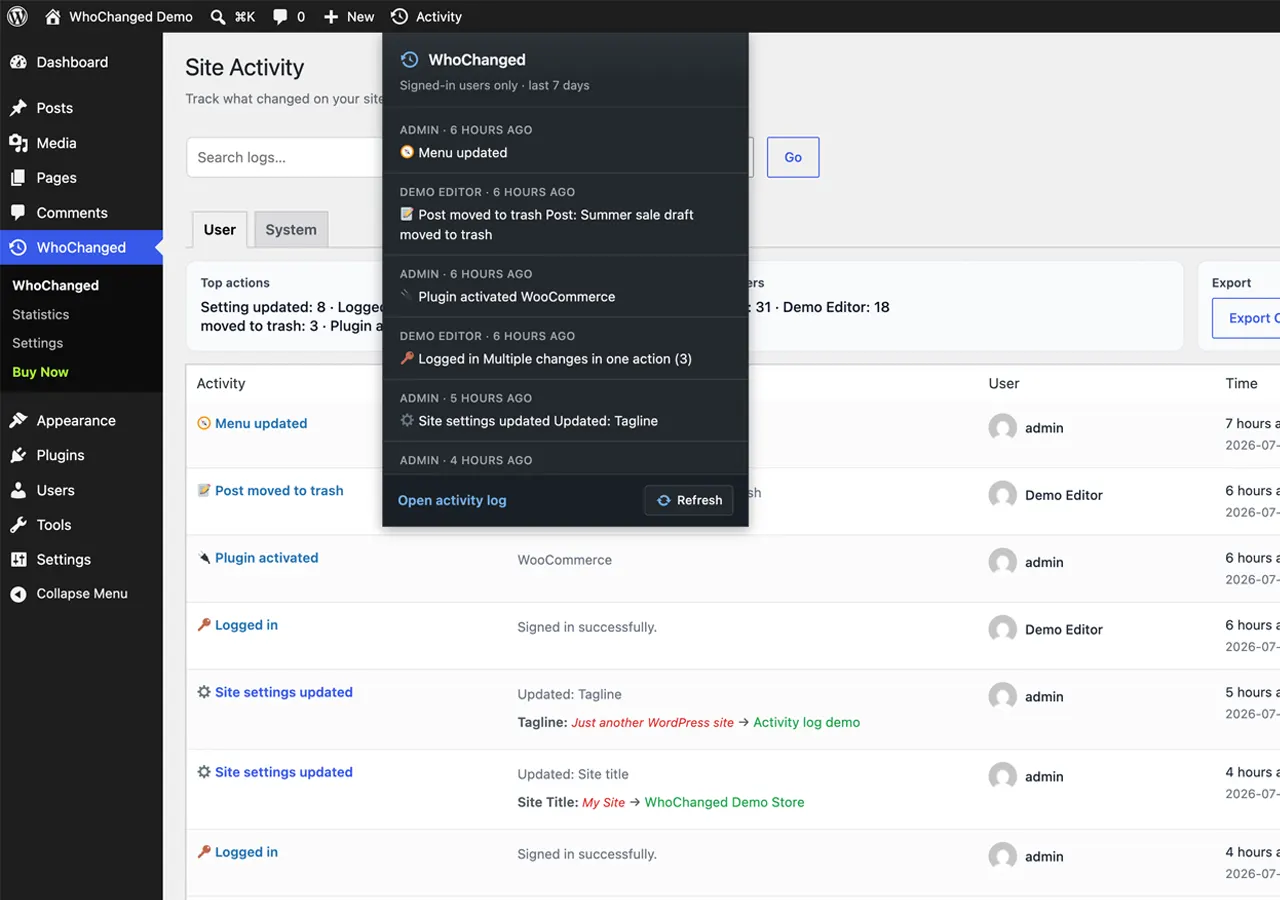
Grouped activity with avatars, timestamps and before/after values — so you always know who touched what, and when.
Every entry shows the old value next to the new one. Not just that a setting changed, but exactly what it changed to, and who did it.
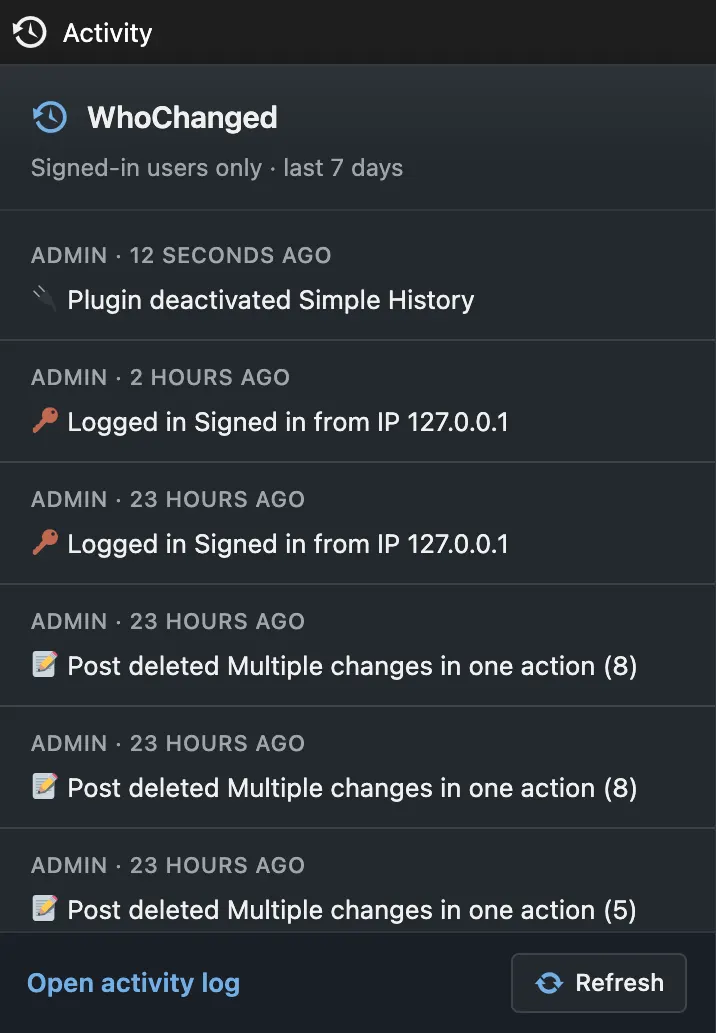
A live activity feed lives right in your WordPress admin bar — glance at the last few changes without leaving the page you're on.
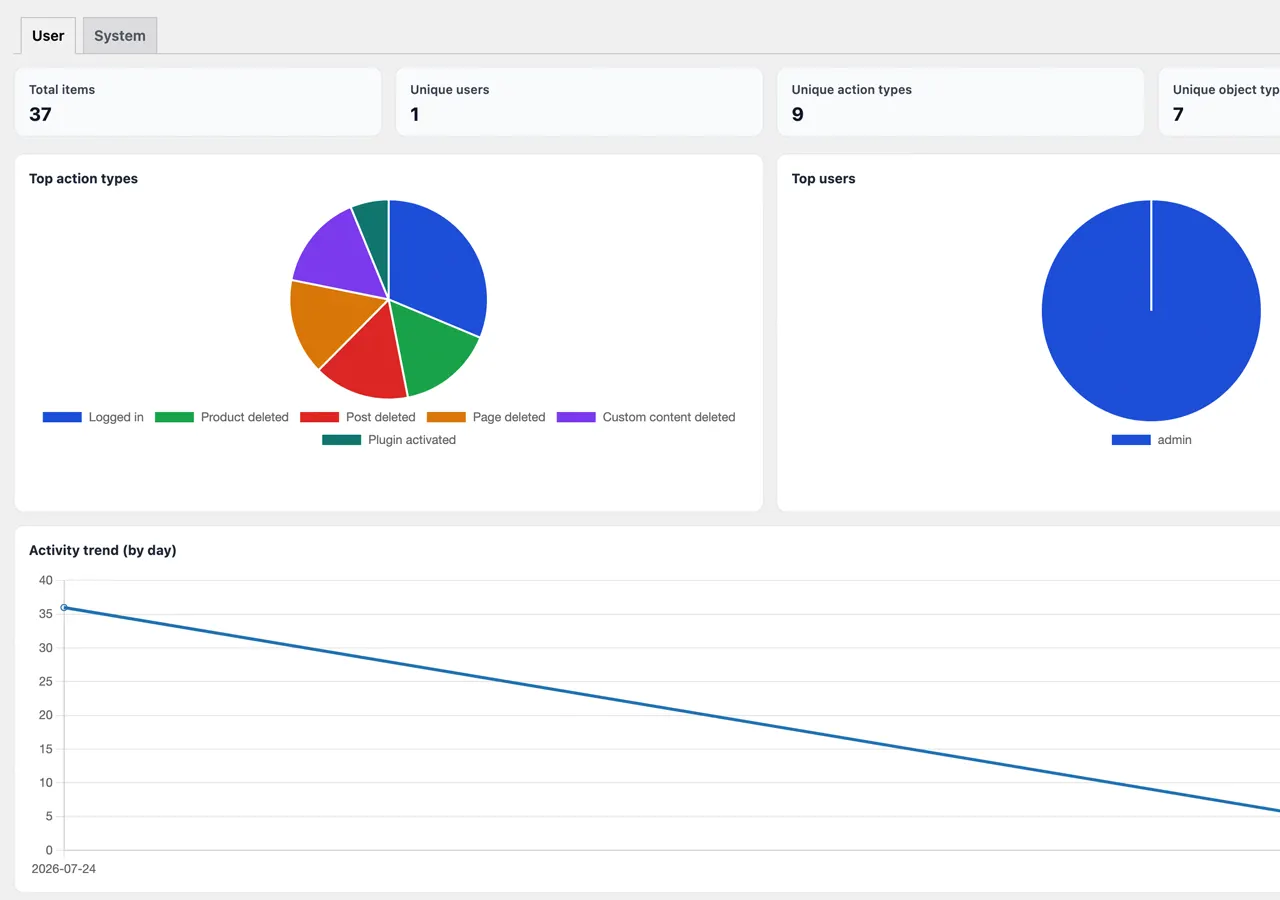
Visual breakdowns of who's doing what, which actions dominate, and how activity moves over time — export the whole dashboard as a PDF for a client or an audit.
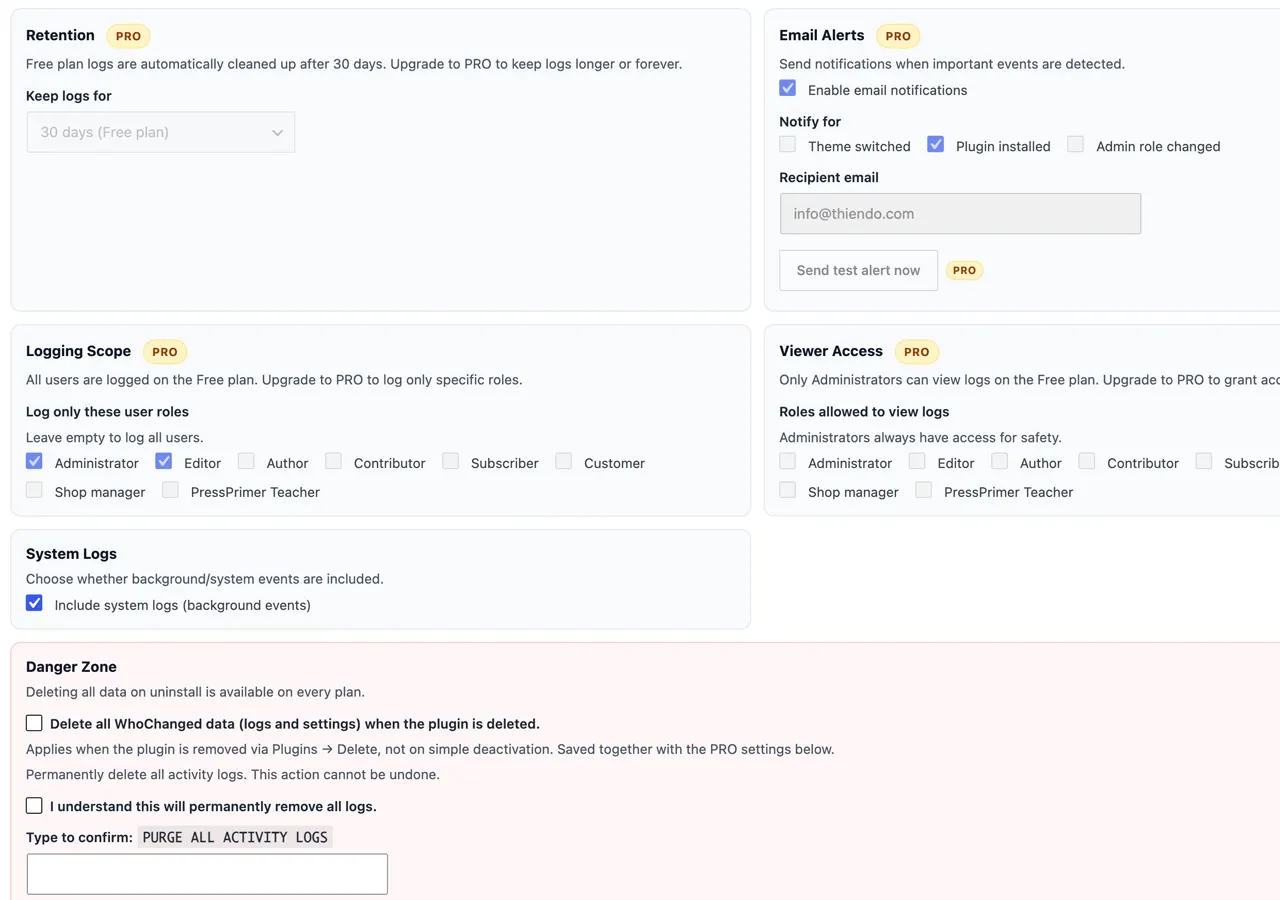
Free ships with sensible defaults — 30 days of history, every user tracked, admin‑only viewing. PRO lets you tune retention, alerts and access role by role.
| Feature | Free | PRO |
|---|---|---|
| Full event coverage & before/after diffs | ✔ | ✔ |
| Activity retention | 30 days, fixed | Configurable, up to unlimited |
| Export formats | CSV | CSV, Excel & PDF |
| Instant email alerts | — | ✔ |
| Role‑based tracking & viewer access | Admins only | ✔ Any role |
| One‑click log purge & priority support | — | ✔ |
Suggested launch pricing — adjust anytime from your Freemius dashboard.
1 site
Up to 5 sites
Unlimited sites
14-day money-back guarantee. Renews yearly — cancel anytime, the plugin keeps working. Secure checkout & licensing by Freemius.
No. It only runs inside wp‑admin and hooks into existing WordPress actions, so your public site is unaffected.
In a dedicated table in your own database. Nothing is sent externally unless you set up email alerts (PRO), which use your own mail delivery.
Your logs are kept by default. You can opt in to a full data wipe on uninstall from Settings → Danger Zone.
WhoChanged is built for single‑site installs today. Multisite support is on the roadmap.
Buy from this page’s pricing section, or from WhoChanged → Settings / Pricing in wp‑admin. After checkout, open WhoChanged → Account, click Activate License, and paste the key from your Freemius email. Full steps: Docs → Checkout & activate.